Before It Becomes a Problem: Your Website May Be Vulnerable. Has It Been Updated?
October 2026 | Cybersecurity and Business Operations
Your website may not be the first thing you think about when protecting your business. But if customers use it to request appointments, contact your staff, submit information, or make payments, its security matters just as much as its appearance.
On October 21, 2026, federal cybersecurity agencies issued urgent warnings about two critical vulnerabilities in PHP, software that operates behind the scenes on many business websites.
The National Security Agency (NSA), the Cybersecurity and Infrastructure Security Agency (CISA), and the FBI have all urged organizations to address these vulnerabilities immediately.
This is not simply another routine software update.
What Happened?
Two serious security flaws, identified as CVE-2026-109618 and CVE-2026-109619, were discovered in PHP, a programming language widely used to power websites and online applications.
Together, the vulnerabilities have been nicknamed PHP2Shell.
Under certain conditions, attackers could exploit these flaws to execute commands on a vulnerable web server without first obtaining a username or password.
That could potentially allow an attacker to access sensitive information, interfere with website operations, or gain control of affected systems.
Security patches were released on October 21, but the availability of a patch does not guarantee that every affected website has been updated.
Why This Matters to Your Business
You do not need to operate an online store or maintain a sophisticated computer network to have exposure.
Consider how your website supports everyday business operations.
A customer may submit a service request. An employee may access a scheduling system. A prospective customer may complete a contact form. Your website may connect to a payment processor, membership platform, or third-party service.
These systems may rely on PHP directly or through software managed by your hosting provider.
If a vulnerable system is compromised, the consequences could extend beyond an inaccessible website.
Depending on the systems involved, a security incident could result in:
-
Unauthorized access to customer or business information.
-
Disruption of appointments, inquiries, or online transactions.
-
Altered website content or fraudulent redirects.
-
Unexpected expenses for technical repairs and incident response.
-
Damage to customer confidence.
Not every website uses PHP, and not every security incident results in a data breach. The immediate priority is determining whether your systems are affected and whether the necessary patches have been installed.
Your Hosting Company May Handle Updates. Don’t Assume It Has.
Many business owners rely on a website developer, hosting provider, or outside technology company to manage software updates.
That is perfectly reasonable.
However, responsibility for maintaining a website is not the same as confirmation that a particular security vulnerability has been addressed.
Some providers install security updates automatically. Others require customers to approve changes, purchase maintenance services, or coordinate updates with their website developers.
And some websites continue operating on outdated software because newer versions may not be compatible with older themes, plugins, or custom features.
The important question is not whether your website receives updates. It is whether this specific security issue has been resolved.
What You Should Do Now
If someone else manages your website, contact that person or company and ask for confirmation that the October 21 PHP security vulnerabilities have been addressed.
You do not need to become a software developer to ask the right questions.
Start with these five:
1. Does our website or any connected service use PHP?
Ask your hosting provider or website administrator to identify affected systems, including software supplied by outside vendors.
2. Have the October 21, 2026, security patches been installed?
CISA identified PHP versions 8.5.12, 8.4.27, 8.3.36, and 8.2.35 as patched releases. Providers using vendor-maintained software distributions should confirm that the appropriate security fixes have been applied.
3. Are we running an unsupported version of PHP?
Older versions may no longer receive regular security support. A temporary fix is not necessarily a substitute for moving to a supported version.
4. Has anyone checked for suspicious activity?
Applying an update closes the identified vulnerabilities, but it does not automatically establish whether a system was compromised before the patch.
5. Have our website functions been tested after the update?
Security matters, but so does keeping the business operational.
Check Your Website in 10 Minutes
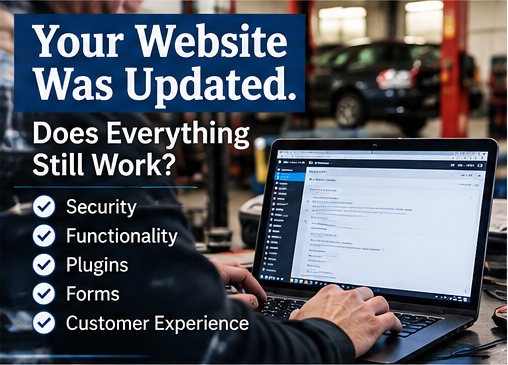
Once your website administrator confirms that the necessary security work has been completed, take a few minutes to test the features customers depend on.
You can perform these basic checks without technical expertise.
-
Contact forms: Submit a test inquiry and verify that it reaches the correct email address.
-
Appointment requests: Confirm that online scheduling and request forms work properly.
-
Payment functions: Check that payment pages and links load correctly. Use a provider-approved test process rather than creating an unnecessary live charge.
-
Mobile access: Open the website on a phone and make sure the menus, buttons, and forms function.
-
Customer information: Check that your address, hours, telephone number, and service information display correctly.
-
Confirmation messages: Verify that automated responses or notifications are being delivered.
A website can appear normal while an important feature is not working.
An unanswered appointment request or failed contact form may never generate a complaint. The customer may simply move on.
Important: This 10-minute check verifies basic functionality. It does not determine whether a website is secure or whether the PHP vulnerabilities have been patched.
What If Your Website Cannot Be Updated Immediately?
Do not ignore the issue because an update is inconvenient or because your website appears to be working.
Federal cybersecurity guidance recommends taking affected PHP-based systems offline when they cannot be promptly secured.
That decision should be coordinated with your hosting provider or qualified technology professional. Temporary protective measures may reduce exposure, but they are not equivalent to installing the appropriate security updates.
If your provider cannot explain how the vulnerabilities are being addressed, request a written plan and a realistic completion date.
For a critical vulnerability, an indefinite promise to address it later is not an adequate response.
A Website Is Part of Your Business Infrastructure
For many independent businesses, the website is effectively an extension of the front counter.
It answers questions outside business hours, introduces new customers to your services, and provides a way for people to reach you when your employees are busy.
It also creates responsibilities that are easy to overlook when everything appears to be functioning normally.
You would not knowingly leave a shop door unsecured overnight simply because nobody had entered without permission.
The same principle applies to systems that connect your business to the public.
Maintaining those systems does not require business owners to become cybersecurity specialists. It requires knowing who is responsible, confirming that critical work has been completed, and checking that the systems customers rely on continue to function.
Before It Becomes a Problem
Make one call or send one email today.
Ask your website provider to confirm that the October 21 PHP vulnerabilities have been addressed.
Then spend 10 minutes checking your customer-facing website features.
The security update protects the system. The functionality check helps protect the business.
Both deserve your attention.
Official Resources
-
National Security Agency: Critical Patches Recommended for PHP Vulnerabilities
-
CISA: Critical Vulnerabilities in PHP Require Immediate Patching
RSGDA provides this information to help members identify emerging business risks and take appropriate preventive action. Website security assessments, software updates, and incident response should be handled by qualified technology professionals.